
Move your base to another plot
Compare a move within your settlement with a move to a higher-level district. Check the destination sign before buying another title.
Sources checked
Which move are you making?
| Destination | What to check at the new plot |
|---|---|
| A different lot in your current settlement | Look for the resident condition. The recorded contract recognizes the existing resident without asking for a second document. |
| Another owned settlement in the same State | Bring a Land Plot Title for the destination district level. Previous research unlocks the listing; you still need a physical copy when the sign asks for one. |
| A friend on a different State | Check the State IDs first. A server transfer has its own confiscation warning. The plot rental described here moves a base within its current State. |
Compare the conditions on the two rental signs
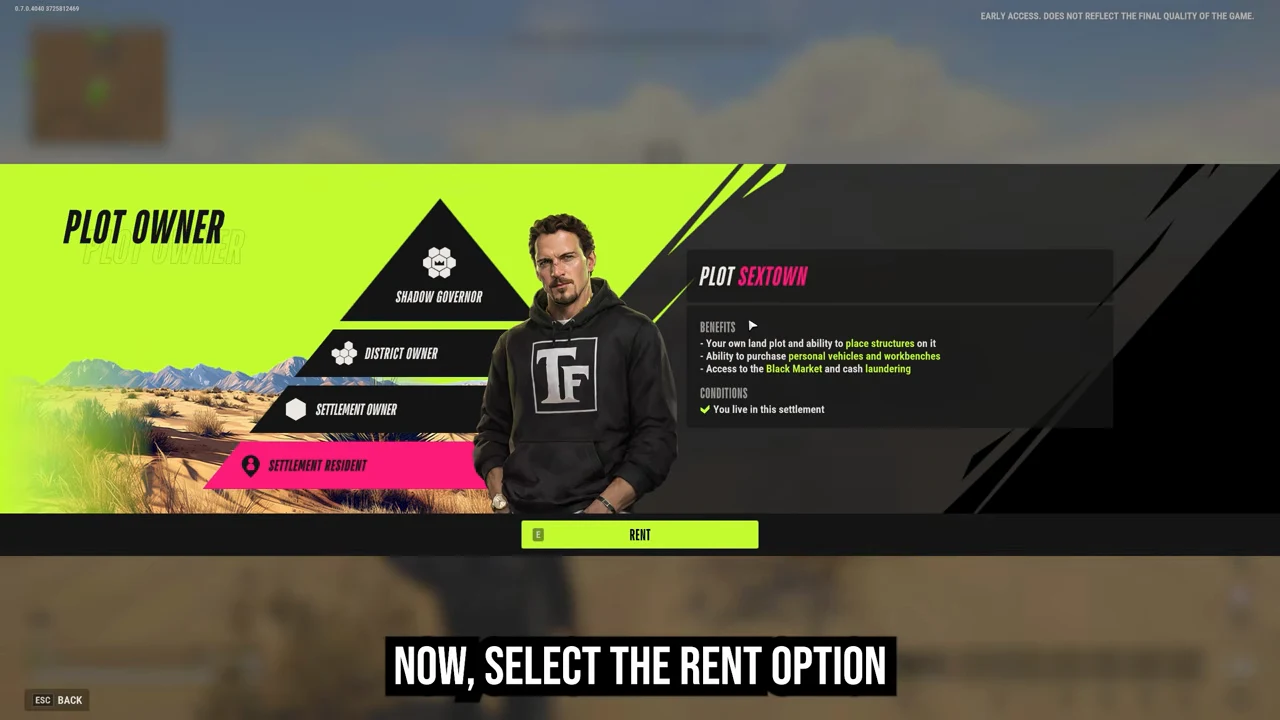
Within the same settlement, the Conditions line recognizes the player as a resident. Rent is available without a document listed.
SimDEX · 0:34 ↗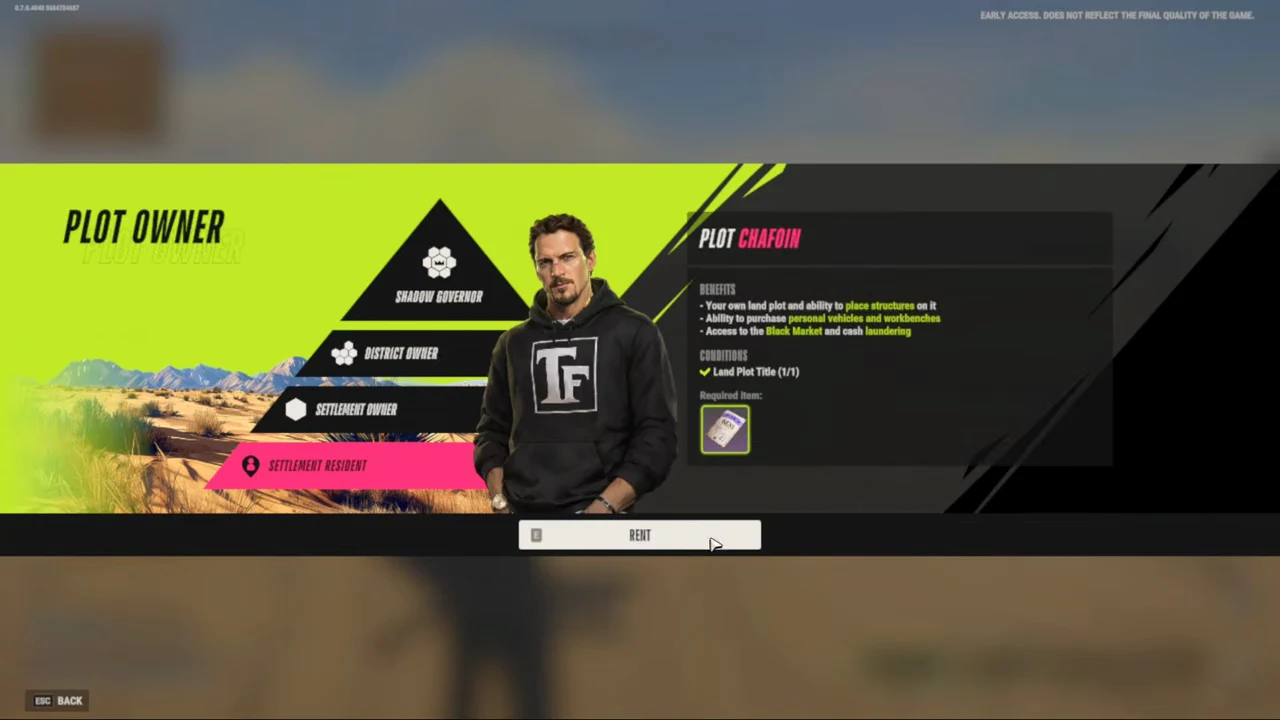
At the new settlement, the contract shows a purple Land Plot Title and a count of 1/1.
OFM Shorts · 0:34 ↗Rent the destination and check what moved
- On the global map check the State, district level and settlement. Find a vacant plot and go to its FOR RENT sign. Leave the buildings assembled at the old address.
- Open Rent and read Conditions. If the title count is short, check its level and your bag. If a raid block is active, wait for it to end before trying again.
- Confirm at the new plot. Kefir says the whole base and its contents transfer together. The previous plot becomes vacant. At the new address check your house, a storage container you recognize, and your installed equipment.
Moving up with $800,000 saved
With the level 1 title researched, the level 2 title costs $200,000 to research and $800,000 to buy at the recorded prices. If the research is already complete, your savings cover the document. Otherwise the shortfall is $200,000. You can bring your existing Trailer and buy a Small House later. Calculate the shortfall with your own research and cash
Sources & footage
Kefir’s help pages document game rules. Prices and item tables use dated community records. The review date marks a source check. Linked player recordings show the interface at the stated time.