
Play with friends
Find the right fix for a missing friend or a failed party invitation.
Sources checked
What do you see in the game?
Our State IDs are different
Look for your online friend in the server list, then compare the full State IDs on both global maps. Choose who will move. A move can cost that player their possessions in the current State. Read the change-server guide together before either player confirms surrender.
Same State, but the invitation fails
Check that both players are available on the global map or in a settlement and that the party has room. Open Party, select Steam Friends and send a fresh invitation. If the error repeats, record the exact message and contact Kefir support.
We joined the party but cannot see each other
Have both players return to the global map. Try entering the same location through the party invitation. Players have reported this symptom even after joining. If it persists, capture both screens and the State IDs for support.
Party invitations and player ID errors
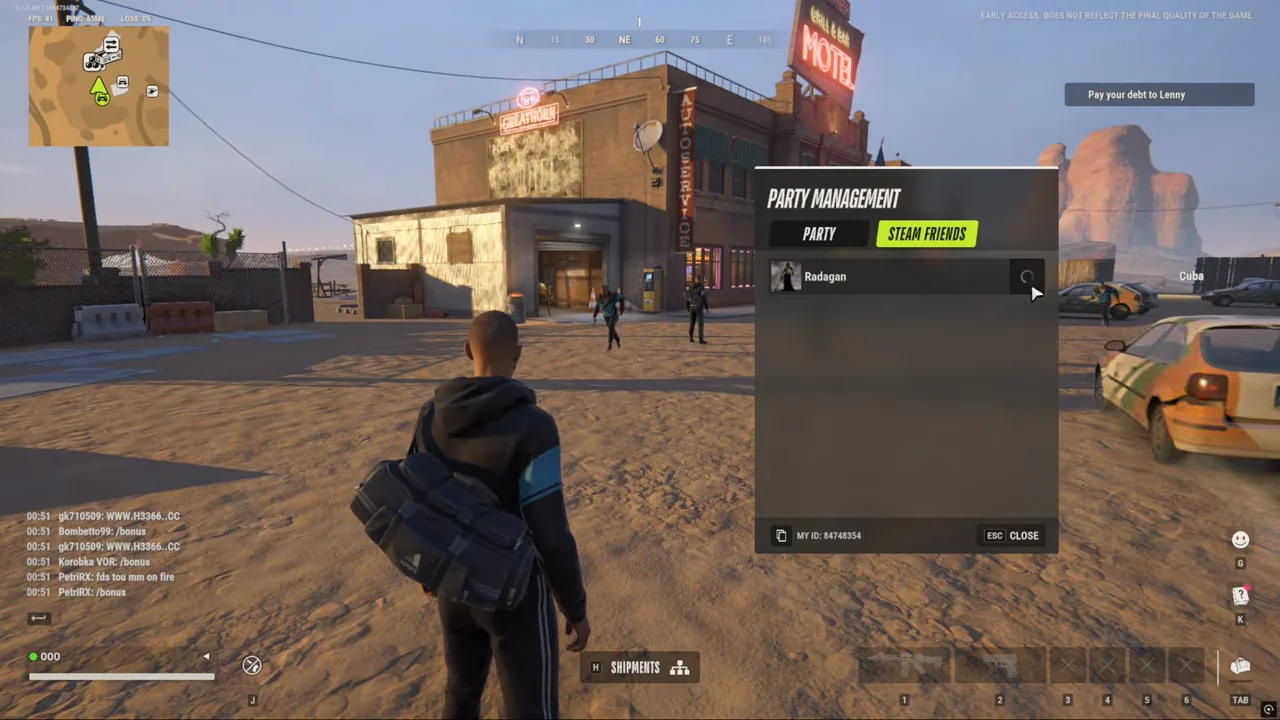
Open Steam Friends in Party Management. The friend appears on this tab before their name appears in the party roster.
OFM Shorts · 0:52 ↗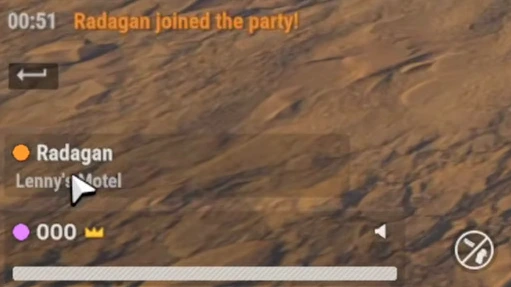
On the host’s screen, “Radagan joined the party!” appears in orange. The roster below shows the new member at Lenny’s Motel.
OFM Shorts · 0:58 ↗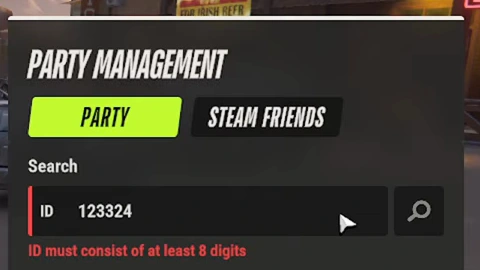
Searching by player ID? Entering six digits shows “ID must consist of at least 8 digits”. Ask your friend to copy My ID from Party Management before searching again.
LeoPlayz · 0:46 ↗
What to send your friend
Send the full State ID, the region and where you are standing. A name or district alone can leave both players looking at different worlds.
Sources & footage
Kefir’s help pages document game rules. Prices and item tables use dated community records. The review date marks a source check. Linked player recordings show the interface at the stated time.